Importing CVs into Faculty Success

Import CV data quickly for rich faculty activity reporting

Data entry shouldn’t hinder your mission. Watermark Faculty Success minimizes administrative friction, helping faculty reclaim time for teaching and research. Whether starting a profile or updating annually, our tools expedite record-keeping so you can focus on the work that matters most.

Learn how accelerate data entry

Our philosophy

Start with existing data, ask faculty to supplement.
Often, the most efficient way to get data into Faculty Success is to not ask faculty to enter it at all. We recommend a “load first, ask second” approach that starts with the data your institution already has.

  • Import: Pull appointments, teaching assignments, and grants directly from other campus systems with administrative imports and APIs.
  • Migrate: Switching systems? We’ve migrated 60+ institutions from Interfolio™, SEDONA™, and many more from homegrown tools. Let us handle the heavy lifting.
  • Integrate: Automatically supplement teaching records with student feedback via our Course Evaluations & Surveys integration.

Once the “known” data is loaded, faculty can focus on filling in the details only they know – like creative works or service – using these four high-speed options.

Your CV, automated. Your time, reclaimed.
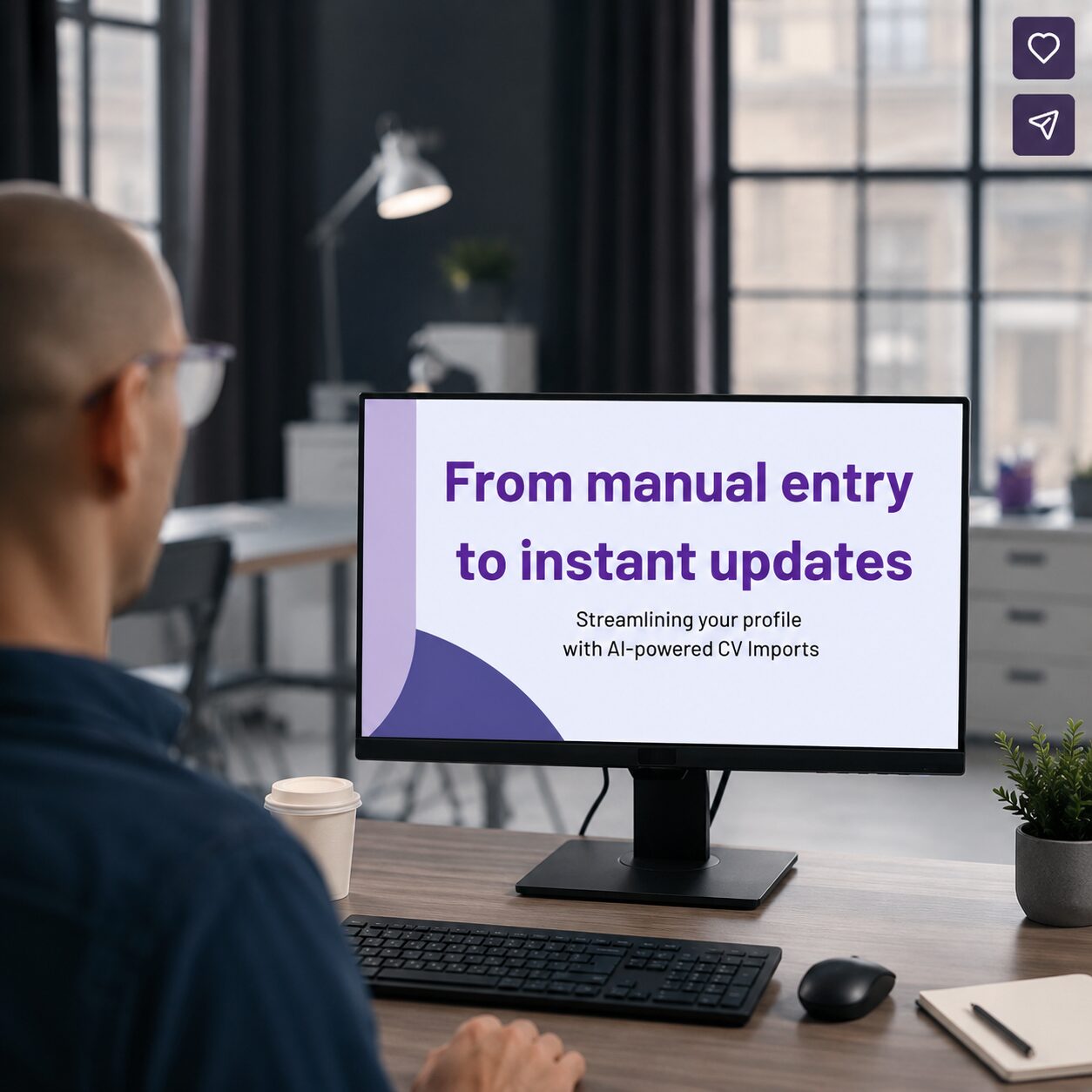
Use an AI assistant to transform a static document into a dynamic profile in seconds. Simply upload your CV or paste a list of citations, and the AI instantly parses the information to your institution’s specific data structure.

  • Fast: Saves 90% of the time compared to manual entry. It’s so fast, you can complete your import easily in one sitting.
  • Intelligent: Built-in duplicate detection ensures your profile remains clean and accurate.
  • Nimble: You can review and adjust records before saving, to add impact details, align your work with your institution’s strategic goals, or add other information about your activity that isn’t usually in a citation or CV.
  • Secure: Watermark uses enterprise-grade safeguards; your data is never used to train AI models.
  • Optional: Institutions and individual faculty members can opt-in; AI isn’t running in the background, it only runs when the faculty member says so, and only for this specific purpose – to parse and add the activities provided.

Learn about our commitment to ethical AI

Take a closer look at AI-powered CV imports

*Note: AI-powered data entry is available in English, for institutions in the United States.

GIF of a faculty member uploading a CV document, initiating the AI parsing of it into activity records, reviewing the preview of the resulting records, and opening the editor on one

High-volume data entry without AI.

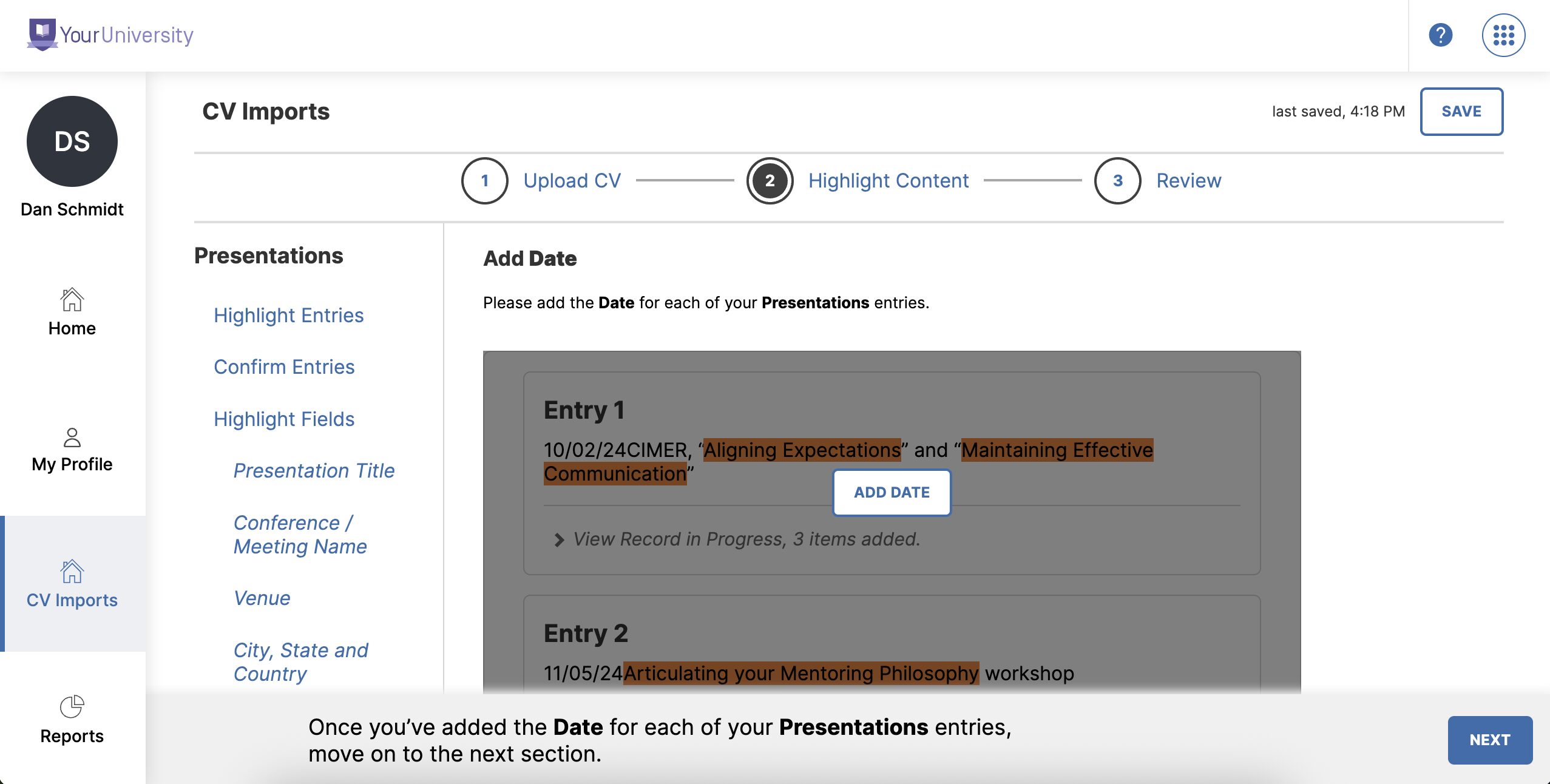
For those who prefer a guided, AI-free workflow, our original CV Import tool allows faculty or proxies to map citations directly to Faculty Success screens.

  • Step-by-step guidance: The system walks you through turning citations into activity records in bulk.
  • Saves your place: Save your progress and return later, allowing you to enter information as your schedule permits.
  • Flexible sources: Use a full or partial CV to populate sections like intellectual property, licenses, and service work.


The “Highlight Content” step of the mapping-based CV Import feature, prompting the user to highlight the relevant text to add the date for the presentations found in the uploaded CV file

Connect directly to the sources of truth.

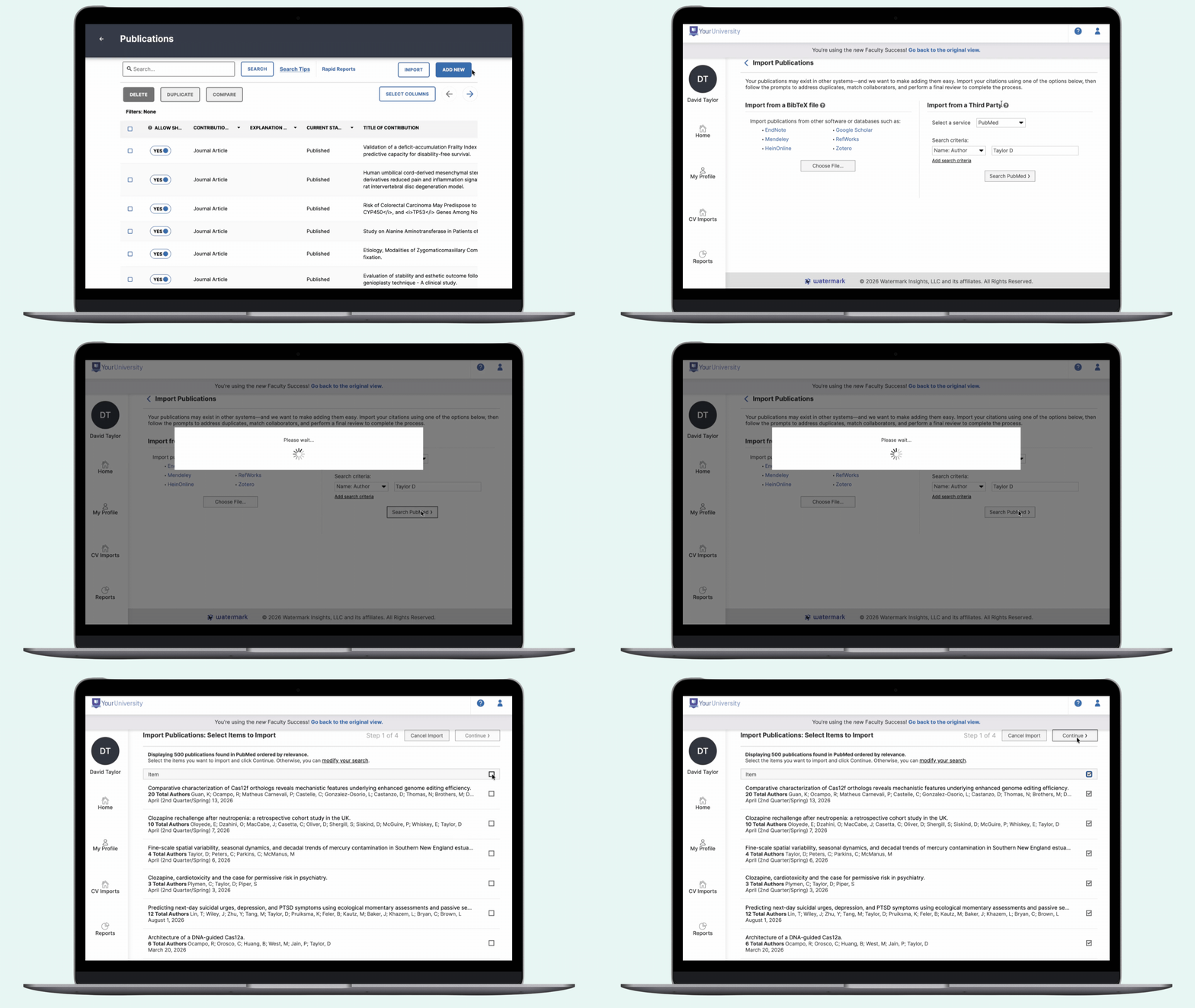
Don’t re-type what already exists in global databases. Faculty Success integrates with the platforms you already use to track scholarship.

  • Direct sync: Pull records on-demand from ORCiD, Scopus, PubMed, and Crossref.
  • Reference managers: Upload files in BibTeX or RIS formats to bring in your entire research library at once.


GIF of a user clicking to Import publication records from PubMed using the Author filter, reviewing 500 search results found, selecting all, and clicking “Continue”.

Set it and forget it.

Enable Faculty Success to work for you in the background.

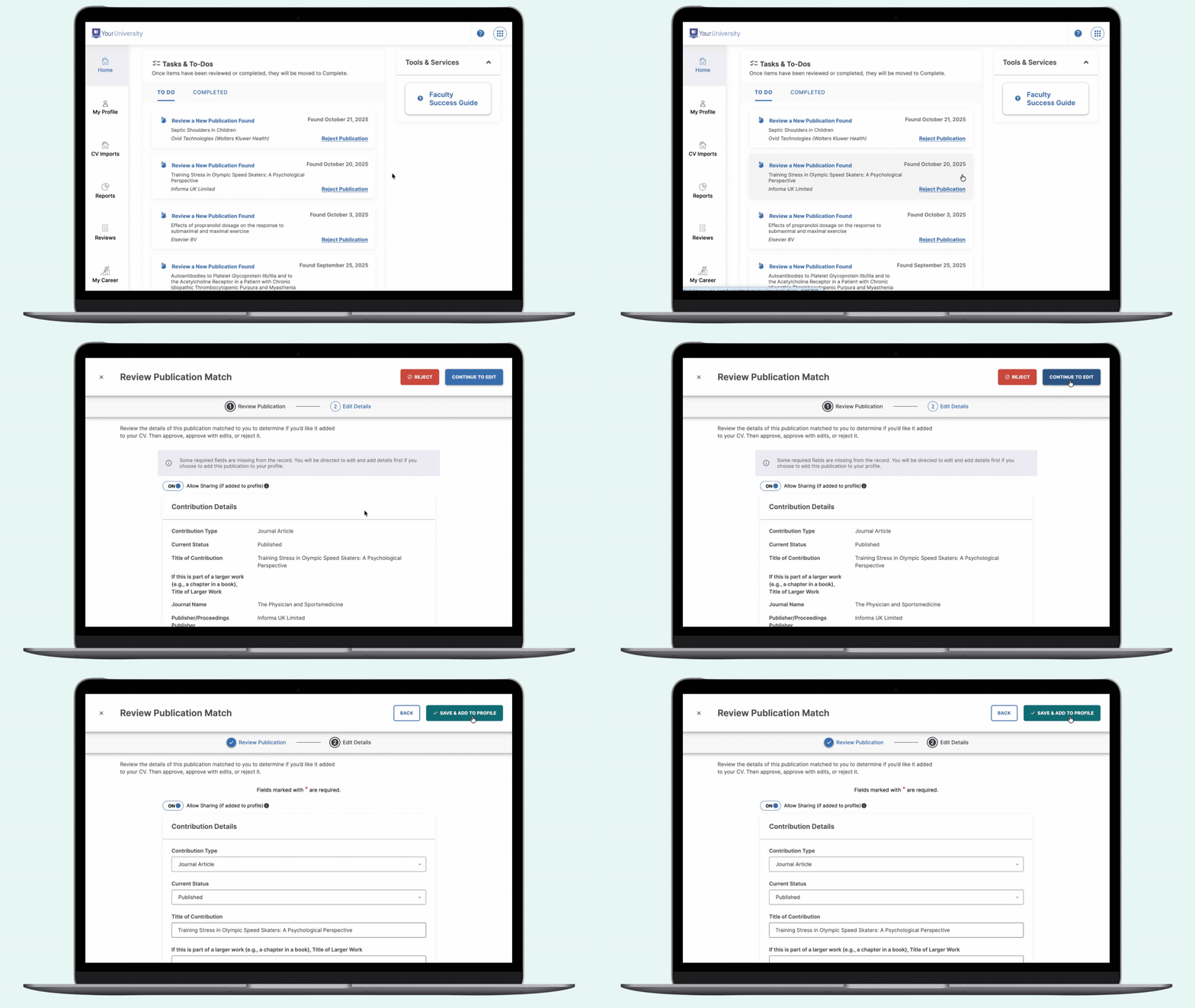
  • Constant monitoring: The system proactively monitors Crossref for new publications matching your professional identity.
  • Simple approval: When a new match is found, you’ll receive a notification. Just review the details and click to add it to your profile.

GIF of a user reviewing a new publication found, choosing to Continue to Edit with the intent to Save and Add to Profile

See how easy it is to manage faculty data in this on-demand demo

CV Imports for Faculty Activity Reporting

Authenticity through control: The human-in-the-loop

In every one of these workflows, the faculty member remains in control of the data saved to their profile. This “human-in-the-loop” approach ensures that their digital profile is a 100% accurate, authentic representation of their expertise and impact.

Watermark Faculty Success is user-friendly. The streamlined layout makes it quick and easy to log publications and teaching activities, requiring just a few clicks.
Yunita A., Professor

It has streamlined faculty workload.

“Before you had to do a lot of manual reporting on your Word document, but now you just have it once and you might not even need to have a –
“Before you had to do a lot of manual reporting on your Word document, but now you just have it once and you might not even need to have a Word copy of your CV anymore.” –
Olamide Timothy Tawose, Assistant Professor, Department of Computer Science and Lead Faculty Success Ambassador
“This is an extremely user friendly platform that provides several ways to capture data. It is highly intuitive.”
Ashleen M. W., Instructional Associate Professor at Ashleen M. W., Instructional Associate Professor

See how Watermark can help you streamline faculty activity

FAQs

These same features can be used to keep profiles up to date too! And although our goal is to eliminate manual data entry as much as possible, a recently refreshed, intuitive user interface makes it easier than ever to add an activity by hand if you need to. We’re also working on ways to expand the sources you can pull new records from.

The AI-powered data entry features in Faculty Success are opt-in at both the institution and the faculty-member level to give you the flexibility you need. Your institution can choose whether or not to enable these features, and can scope access to specific groups if needed. Once available, each faculty member can choose whether or not to use it.

No. AI is only active in Faculty Success when a faculty member initiates it. Furthermore, it is specifically scoped to parsing the data provided. AI is never running in the background to monitor your faculty.

Faculty Success integrates with your existing campus ecosystem and external scholarship databases to automate data entry, ensure accuracy, and eliminate redundancy across your institution.

  • Institutional systems (ERP, HCM, SIS & Grants): Seamlessly sync appointments, credentials, course assignments, and grant data. Key integrations include Ellucian®, Oracle®, Workday®, Cayuse™, and Kuali™ via API or bulk import.
  • Scholarship & publication databases: Pull research and publications directly from sources like ORCiD™, Scopus®, Web of Science®, PubMed, Crossref, and Google Scholar™. It also supports imports from EndNote®, Zotero™, and Mendeley® with built-in duplicate detection.
  • Course Evaluations & Surveys: While it features a native, seamless connection to Watermark Course Evaluations & Surveys, the platform is flexible. You can also bring in student feedback and instructional insights from other course evaluation systems using API integrations or bulk imports to ensure a holistic view of faculty performance.
  • By connecting these platforms, Faculty Success creates a centralized “single source of truth,” saving significant time for faculty, staff, and administrators.

Ready to see how fast your data can move?

Discover how to quickly transform your faculty’s CVs into actionable insights for reporting, promotion, and tenure.